Summary
Power users and agencies could only edit campaign lines one at a time, entering by hand what they received in Excel briefs. Edit in Bulk gives them an Excel-style table inside Ad Manager that validates edits as you make them. I was the sole designer.
Role
Senior Product Designer
Team
1 Product Designer, 1 Engineer, 1 PM
Deliverables
Excel workflow map used as the spec, validation states, review step, UI design
Impact
Removed line-by-line editing for high-volume campaigns, later extended to creatives with the same interaction model
01 The problem
The Excel loop
Most users are agencies, and their clients send them briefs as Excel files. Before Edit in Bulk, they had to copy every value from the brief into Ad Manager by hand, one input or dropdown at a time, one line at a time.
- No way to update several lines at once.
- Single-line editing didn't suit agencies with hundreds of lines.
- Copying by hand led to mistakes that were hard to catch before they took effect.
- Everything in the brief had to be typed or selected again, even though it already existed in Excel.
02 What I found
Briefs in Excel, entered by hand
Discovery sessions with power users and agencies showed four things.
FINDING 1
Manual entry
Users typed or selected every value from the brief by hand, in the matching input or dropdown.
Led to Inline editing, multi-row selection and keyboard navigation.
FINDING 2
Spreadsheet culture
Most users are agencies, and they receive their briefs from clients as Excel files.
Led to An Excel-style table, specified from the Excel steps users already took.
FINDING 3
Multi-line changes
People needed to change several values across several lines at once, with instant visual feedback.
Led to Drag-to-fill across rows, with validation while editing.
FINDING 4
Safety before saving
Errors mattered more in bulk. Users needed to see what changed before saving.
Led to A review screen that shows what changed before anything applies.
03 The decision
An inline table, not a template upload
The original plan was the usual template-upload pattern, which I thought was the fastest and easiest option for the developer team: download an Excel file in the platform's format, fill it in, import it, check that everything was parsed correctly, start again if there is an error, then review and save. In a brainstorming session a developer proposed an inline, spreadsheet-style table built on an existing component that already supported most of what we needed. I mapped the Excel operations users performed, what they edited, in what order and how they checked for errors, and that map became the spec. Then I adapted the component to Ad Manager.
- Inline editing, multi-row selection and keyboard navigation.
- Drag-to-fill to apply a value across rows.
- An in-cell settings panel for things like creative assignment and audience targeting.
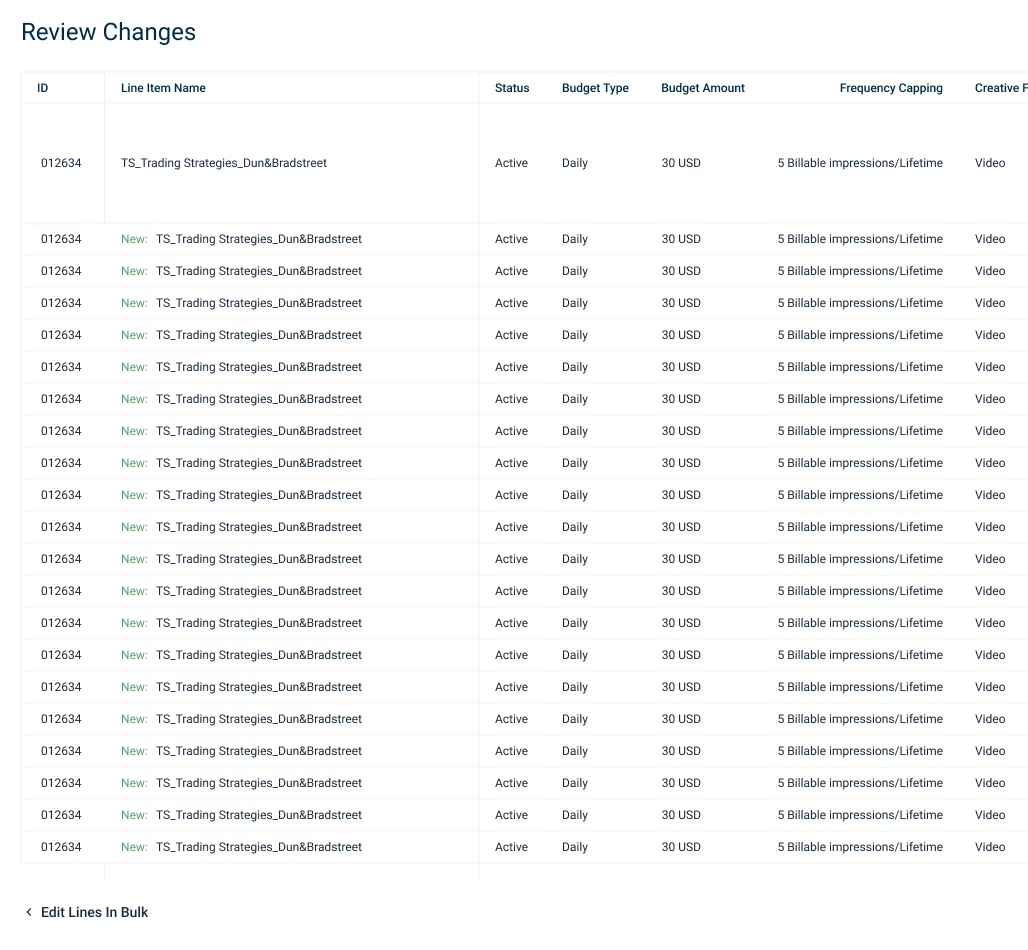
- Validation while editing, plus a review screen that shows what changed before anything applies.
High fidelity prototype
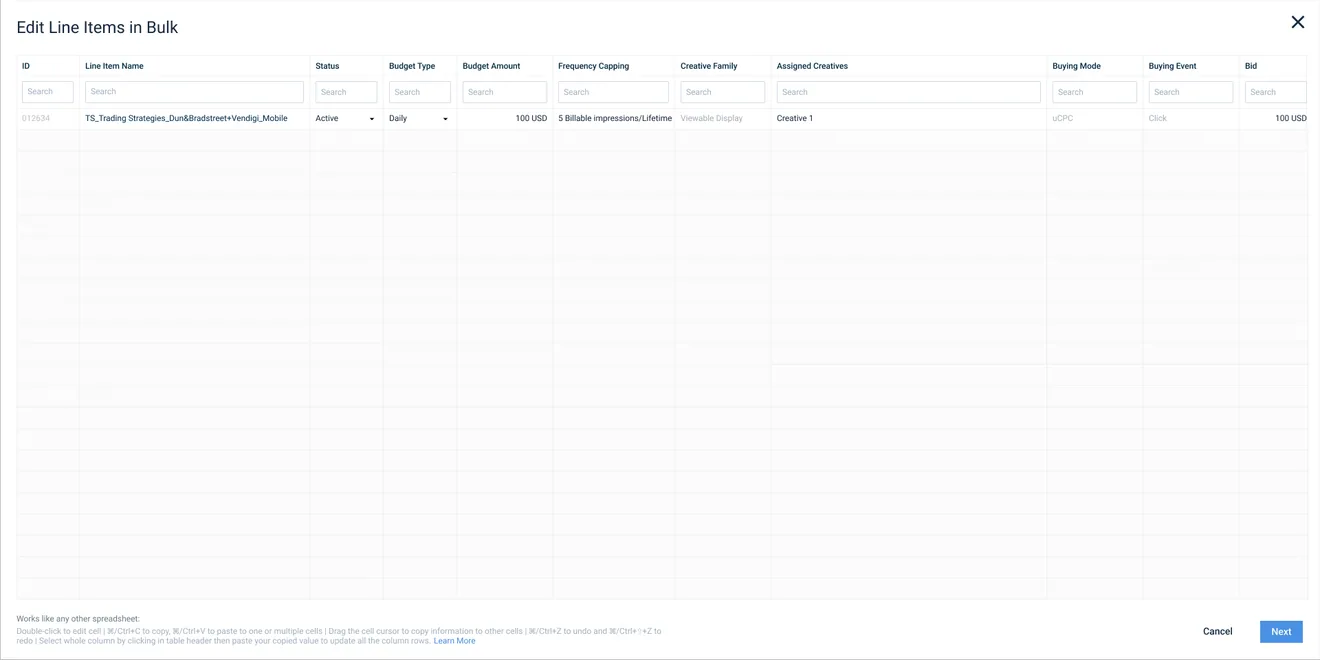
One line
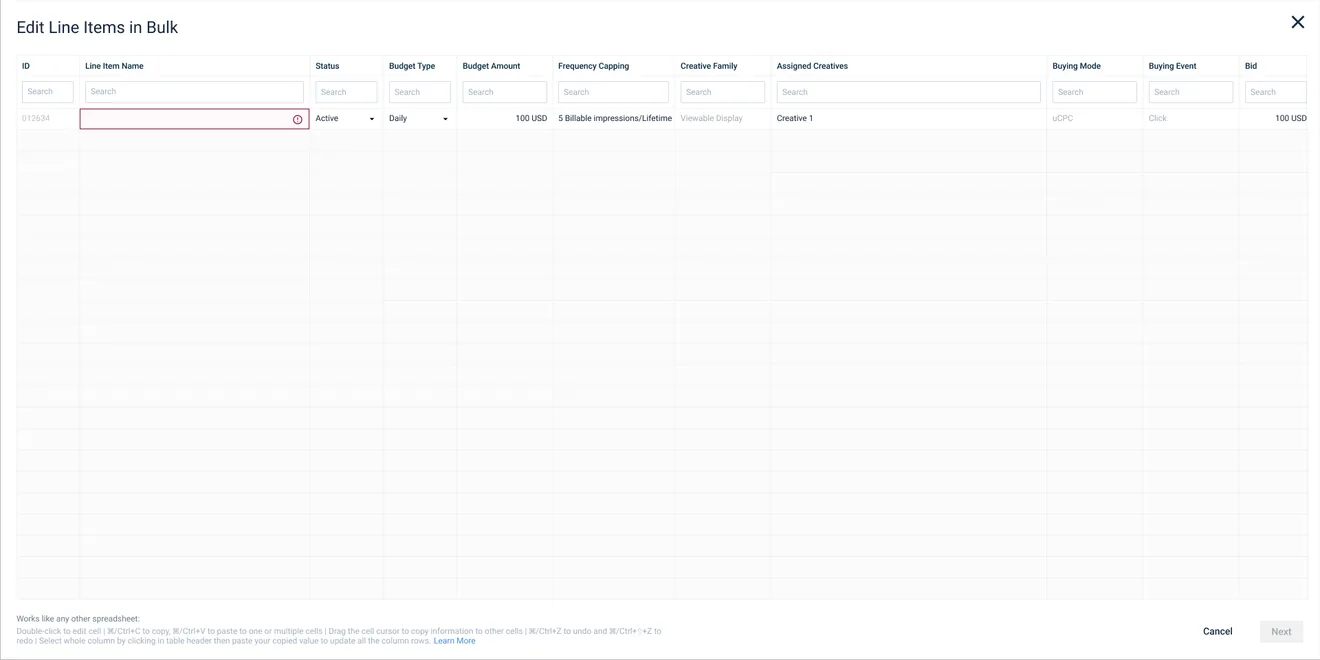
Instant feedback - name deleted
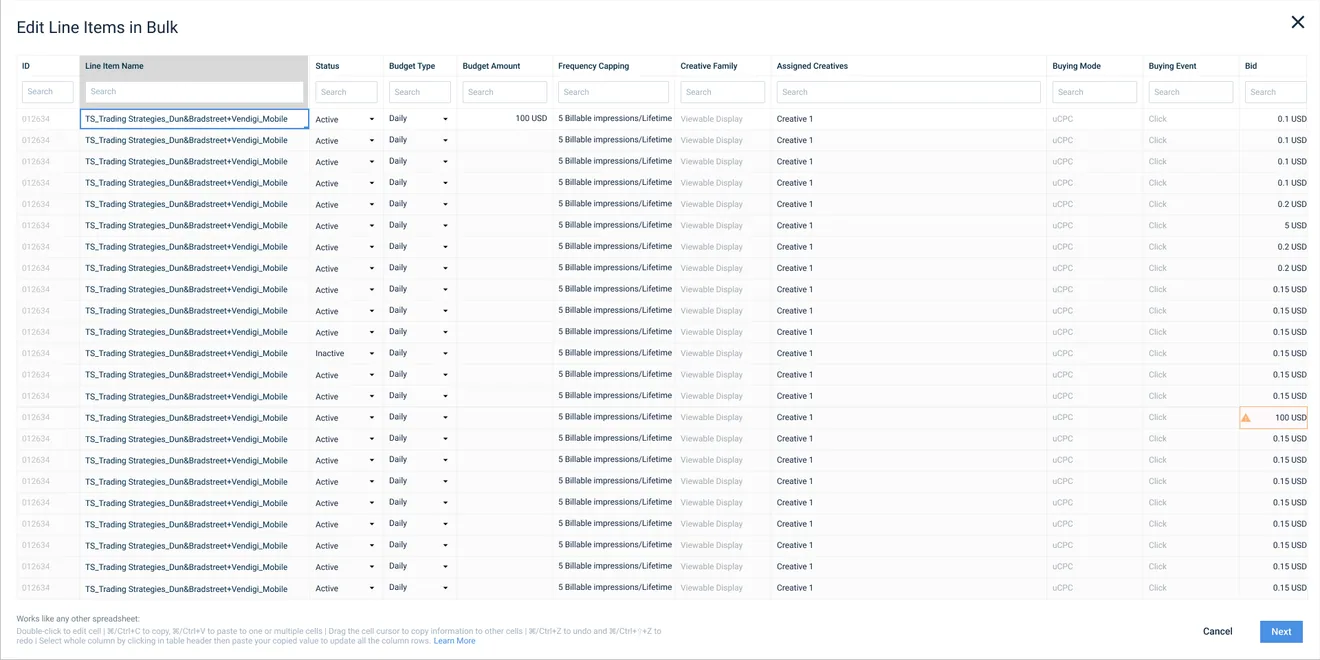
Multiple lines
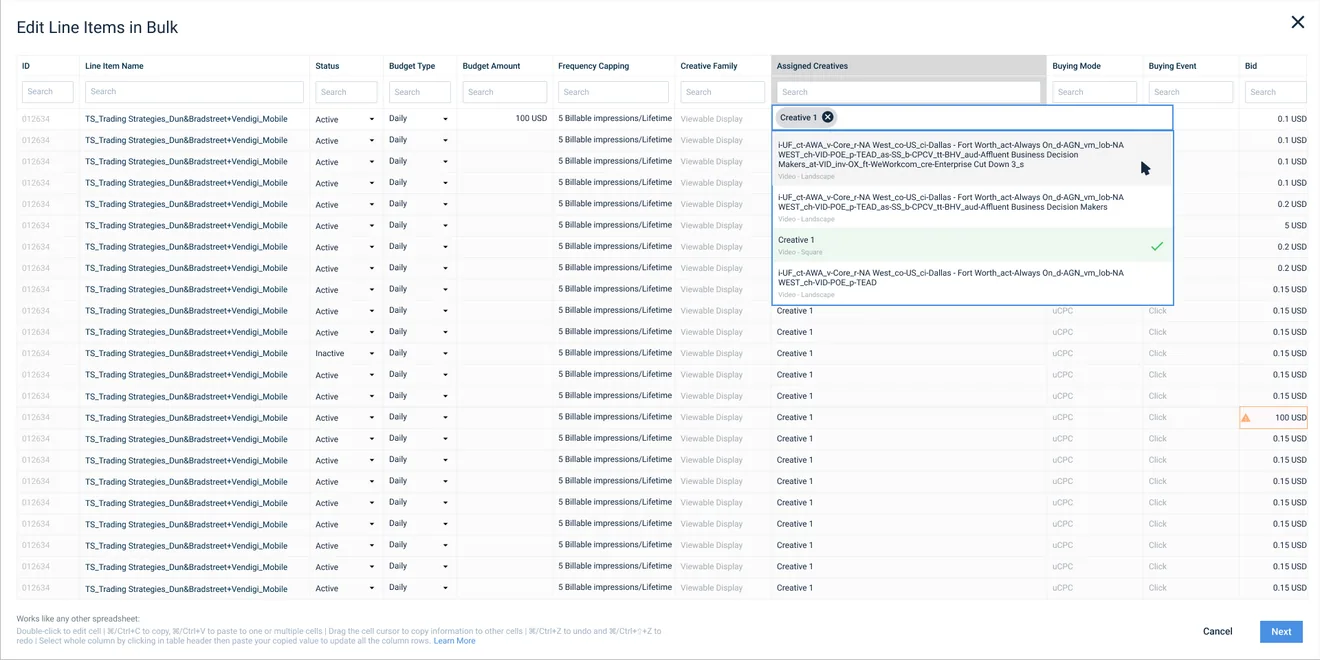
Assign creatives
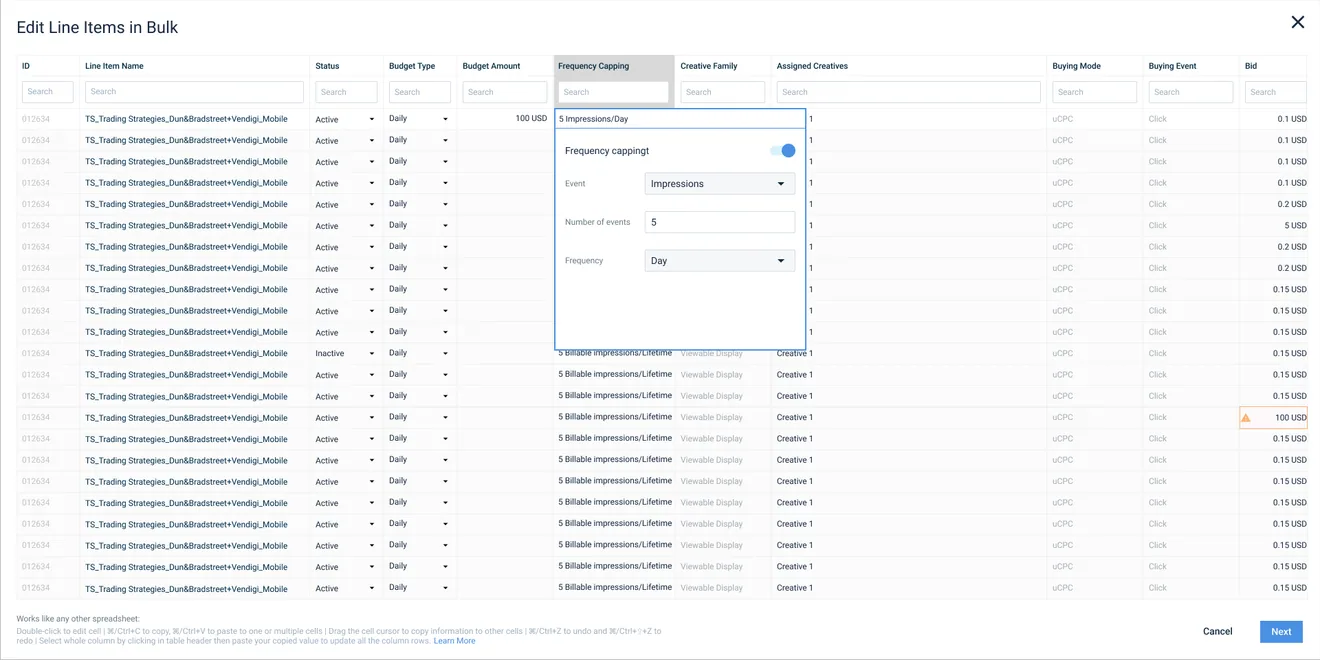
Cell settings panel
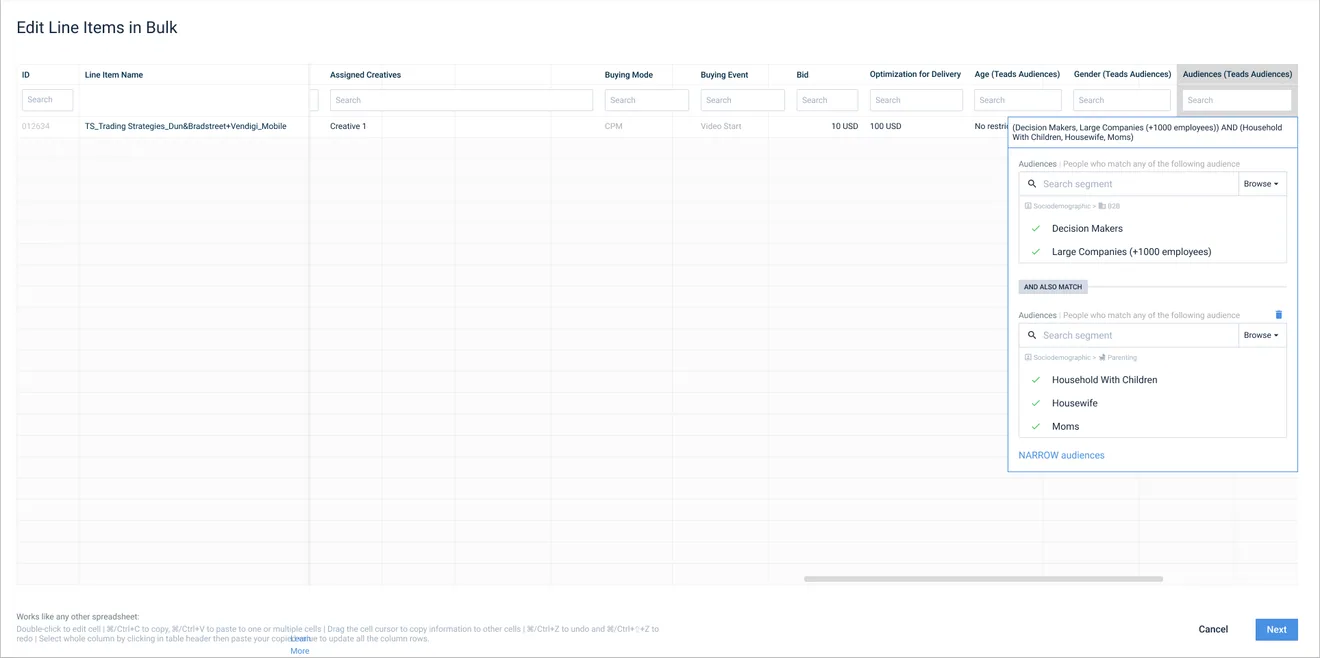
Cell settings panel
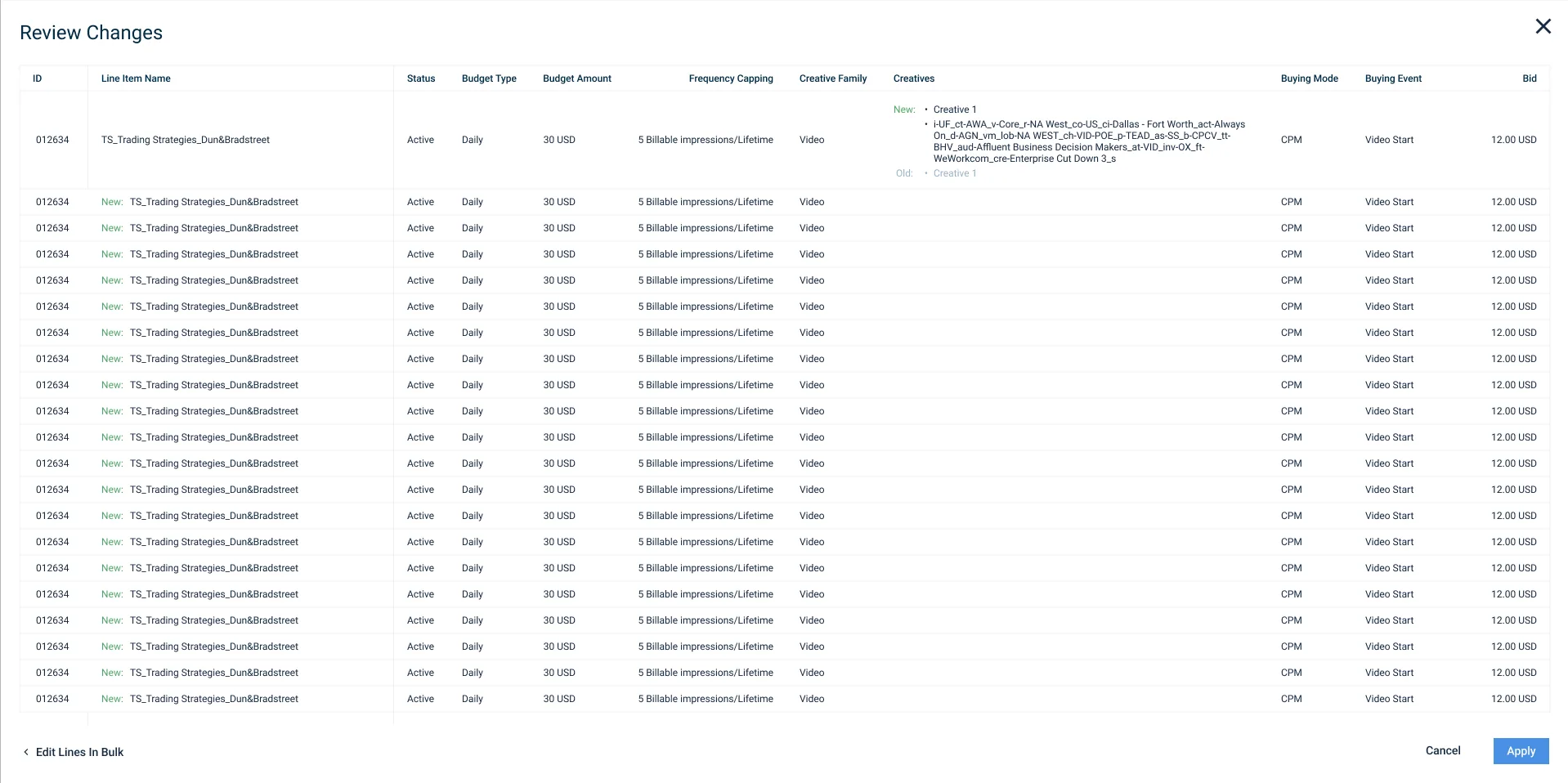
Review screen
04 The outcome
No more line-by-line editing for big campaigns
High-volume campaigns no longer need line-by-line editing. Agencies got a direct bridge between their Excel workflow and the platform. The same model was later extended to creatives.
05 Looking back
A developer changed my assumption
The best solution came from a conversation with a developer, not from the design team alone. I had assumed some technical limits were fixed, and one conversation changed that. I now hold technical assumptions more loosely.