Summary
Teads Studio let in-house designers build complex ad formats, but creatives lived on individual machines and were shared informally. Reusing one with custom code needed a developer. I led the design of the Creatives Hub, a searchable shared library, and related Studio features, working with the in-house design team, who were both the experts and the main users.
Role
Senior Product Designer
Team
1 Product Designer, 3 Engineers, 1 PM
Deliverables
Production flow map, library, labeling system, search, UI design
Impact
Removed the developer bottleneck for reusing complex creatives and replaced informal sharing with one searchable source of truth across countries
01 The problem
Creatives lived on individual machines
Designers built complex ad formats in Teads Studio, but there was no shared place to keep them.
- Scattered files: creatives lived on each designer's machine and were shared informally.
- Developer bottleneck: reusing a creative with custom code needed a developer.
- No common structure: teams in different countries each organized their work in their own way.
02 What I found
Reusing a creative needed a developer
I ran sessions with designers in several countries.
FINDING 1
Developer dependency
Reusing a complex creative almost always needed a developer.
Led to A central, searchable library, so designers reuse creatives themselves.
FINDING 2
No shared structure
Teams in different countries had no shared way to organize work.
Led to One library across all locations, with labels managed by admins.
FINDING 3
Metadata
Without real metadata, a central library would be as messy as the old setup.
Led to Labels and descriptions with keyword search.
FINDING 4
Visual browsing
File names weren't enough. Designers needed to browse and preview visually.
Led to Visual browsing and full preview, plus activity logs per folder and per creative.
03 The decision
Treat labels and metadata as the core feature
The problem was partly about habits. Designers had local workarounds, so the new tool had to be clearly better to get adopted. I mapped the full production flow, from brief to finished creative in a campaign, before designing. It showed two linked needs: extending the flow inside Studio and adding an organizing layer in the Hub.
- A central, searchable library across all locations.
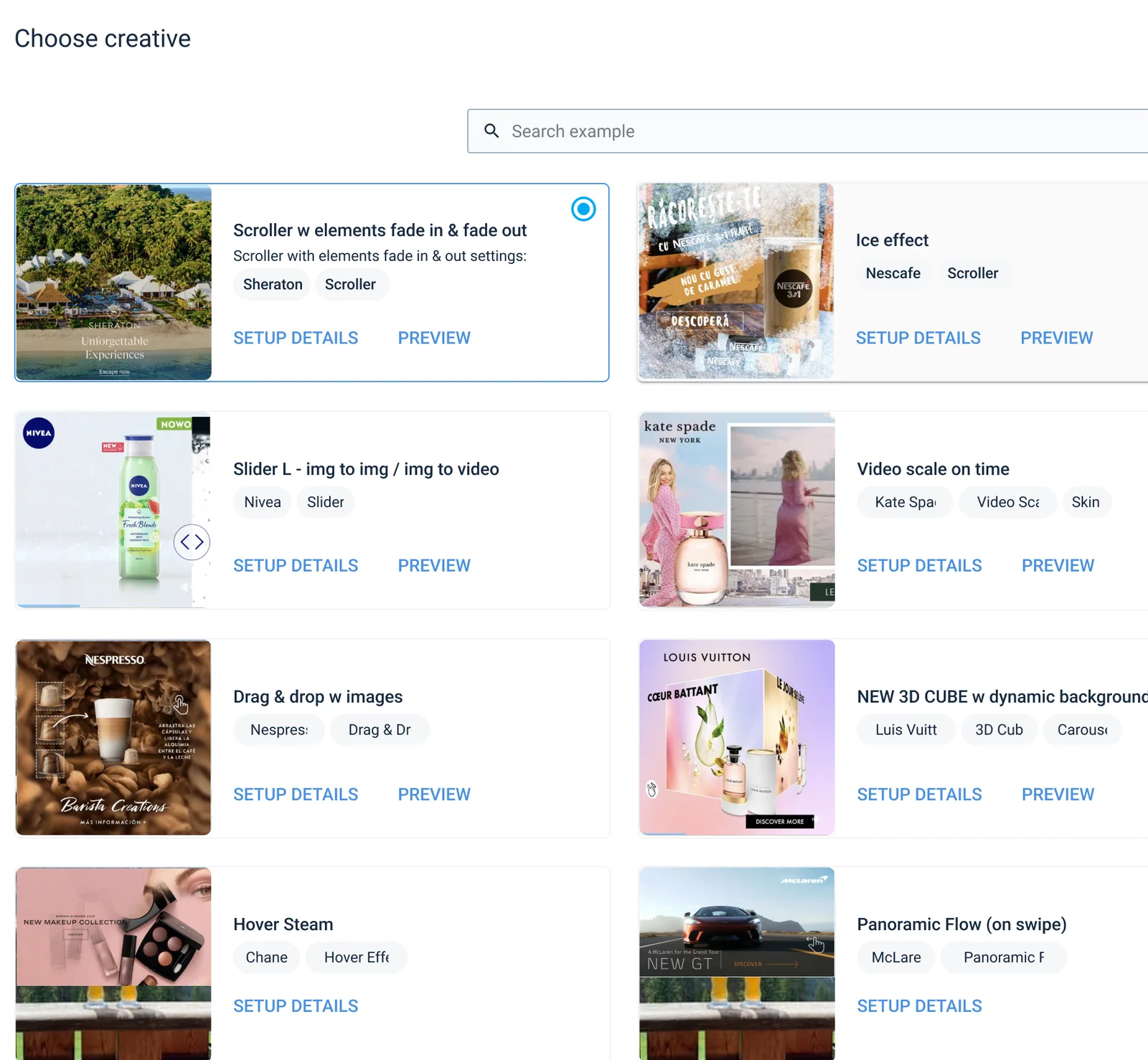
- Admin-curated example creatives as starting points.
- Labels and descriptions with keyword search.
- Visual browsing and full preview, plus activity logs per folder and per creative.
High fidelity prototype
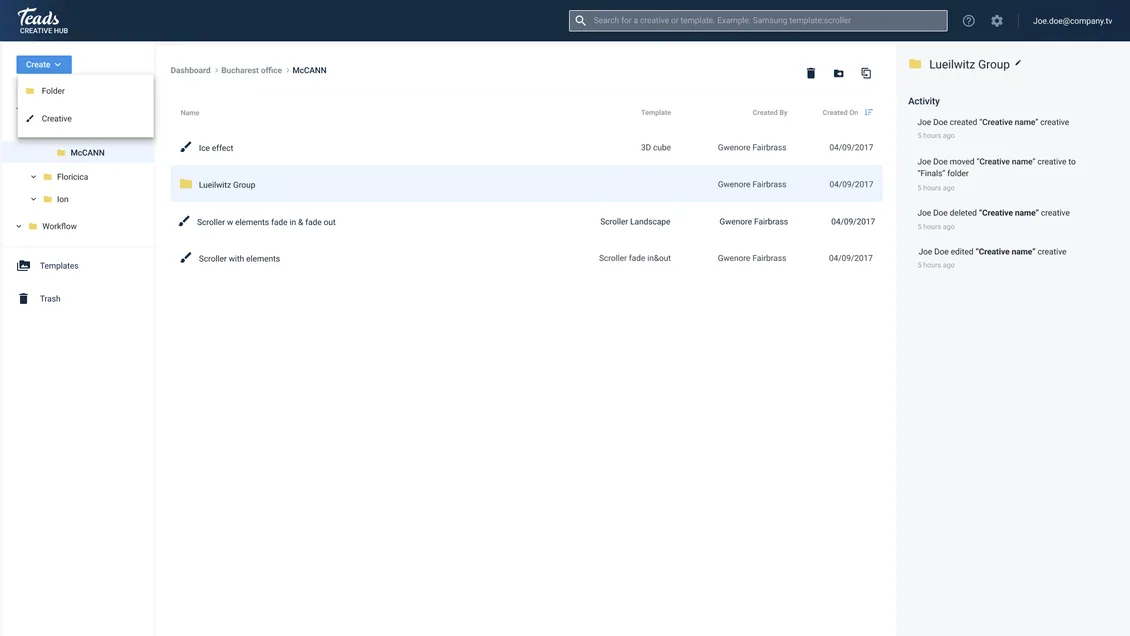
Creatives Library in Studio - new creative
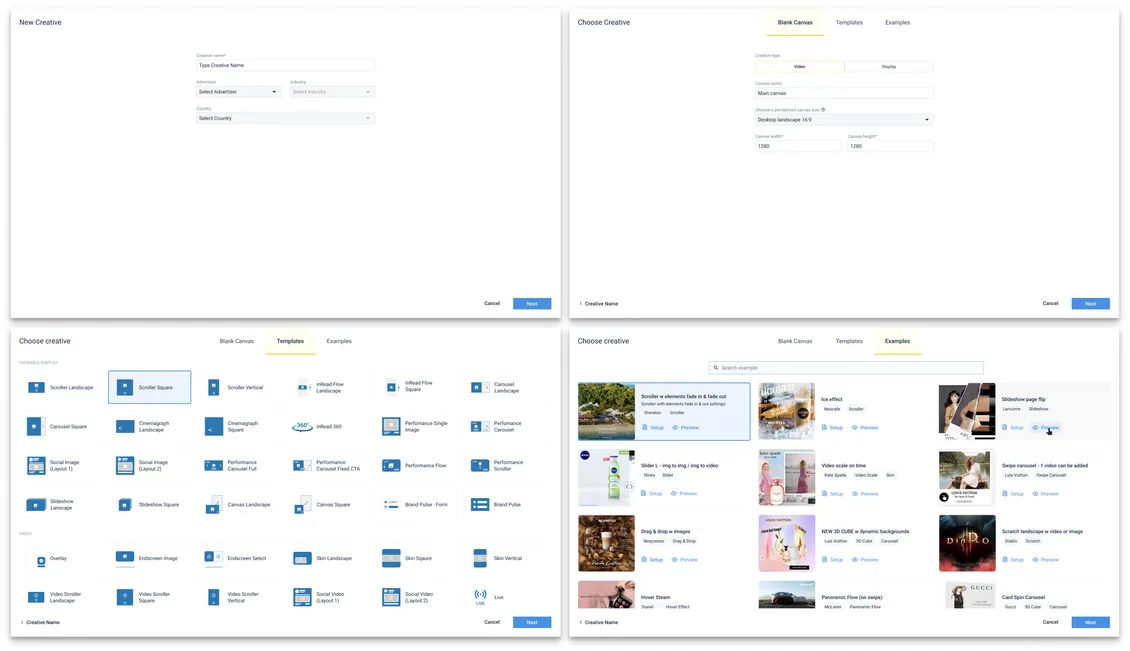
New Creative Stepper
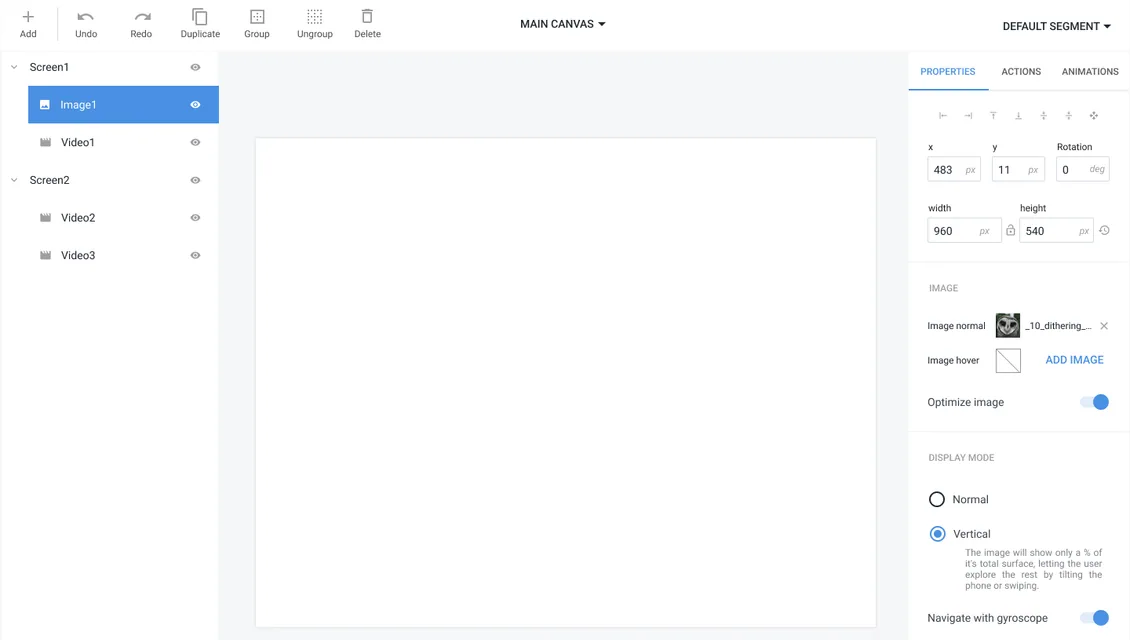
New Creative flow that lands in Teads Studio
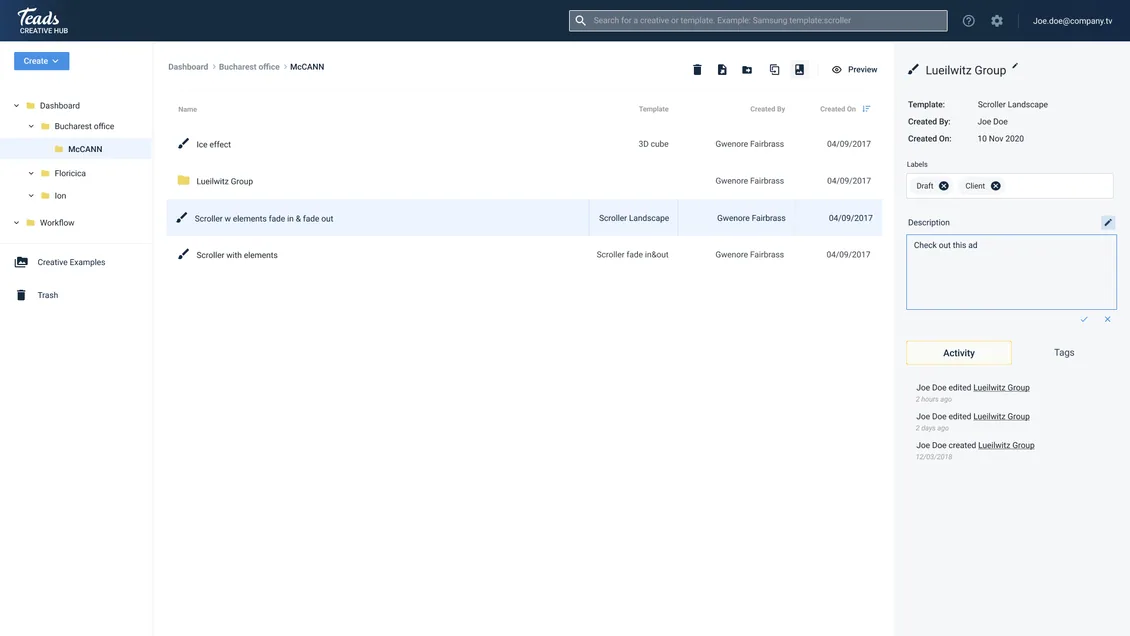
Creative Library - edit description
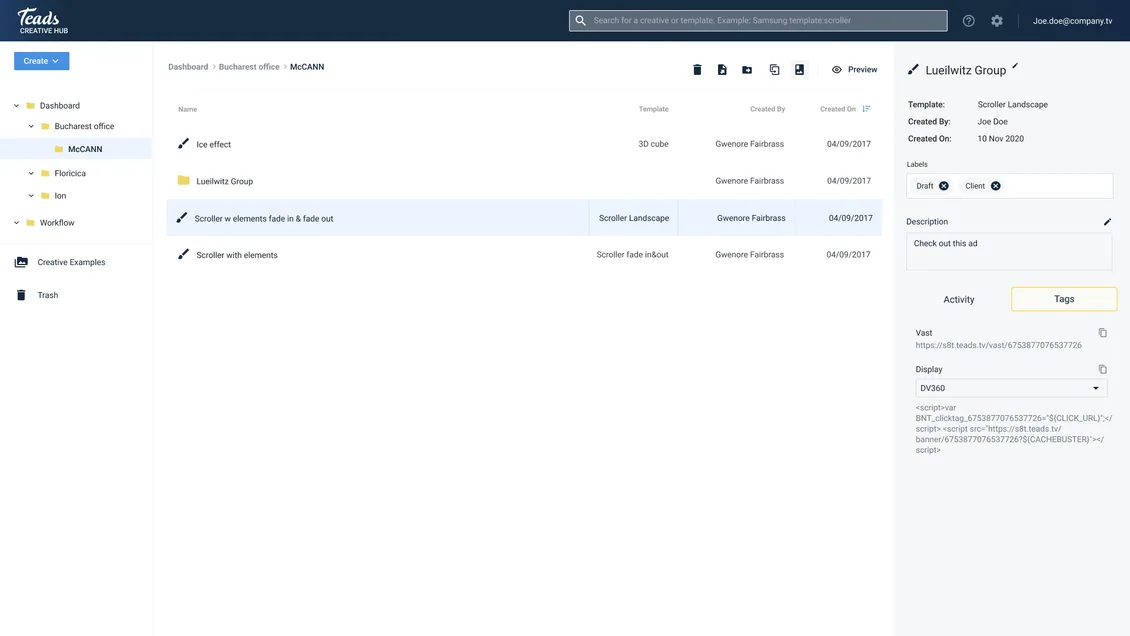
Creative Library - tags
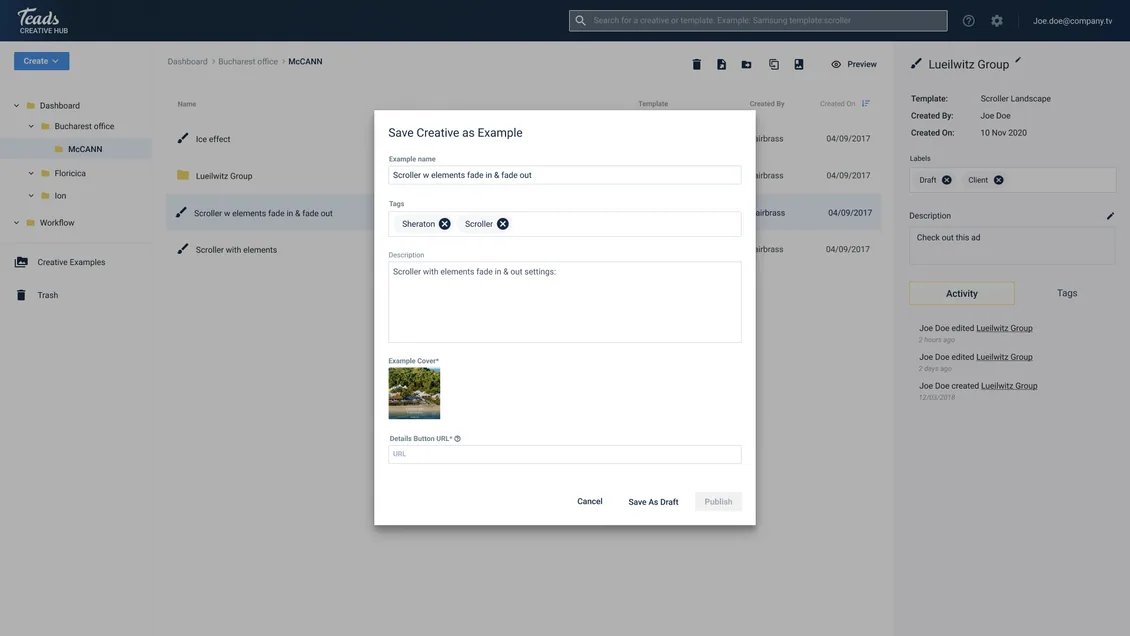
Creative Library - save creative as a template/example
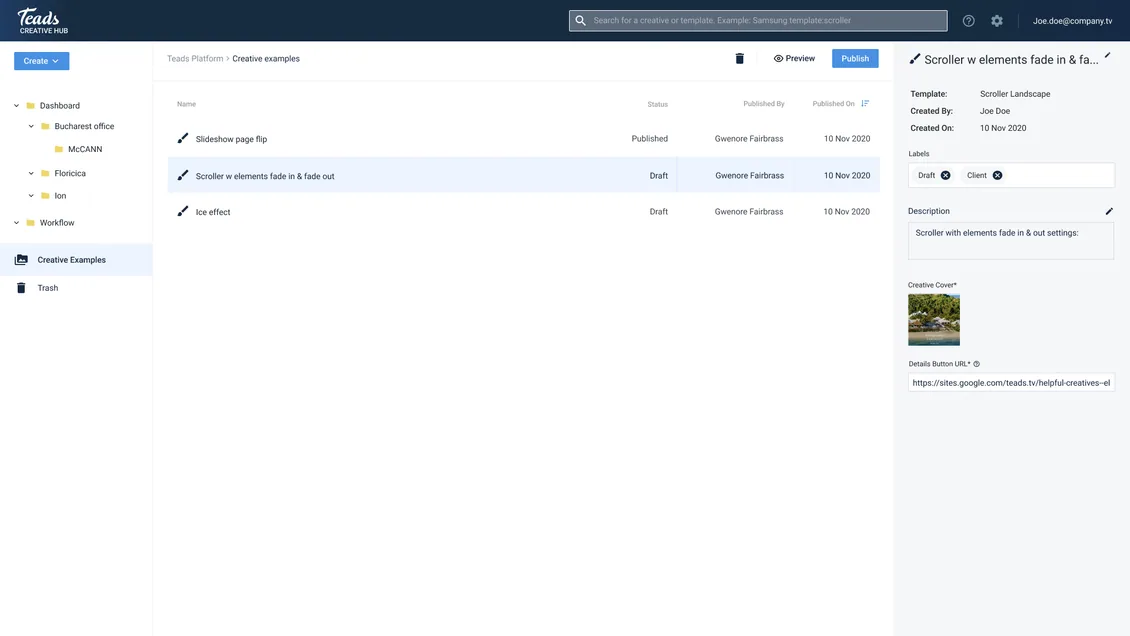
Creative Library - Examples/Template
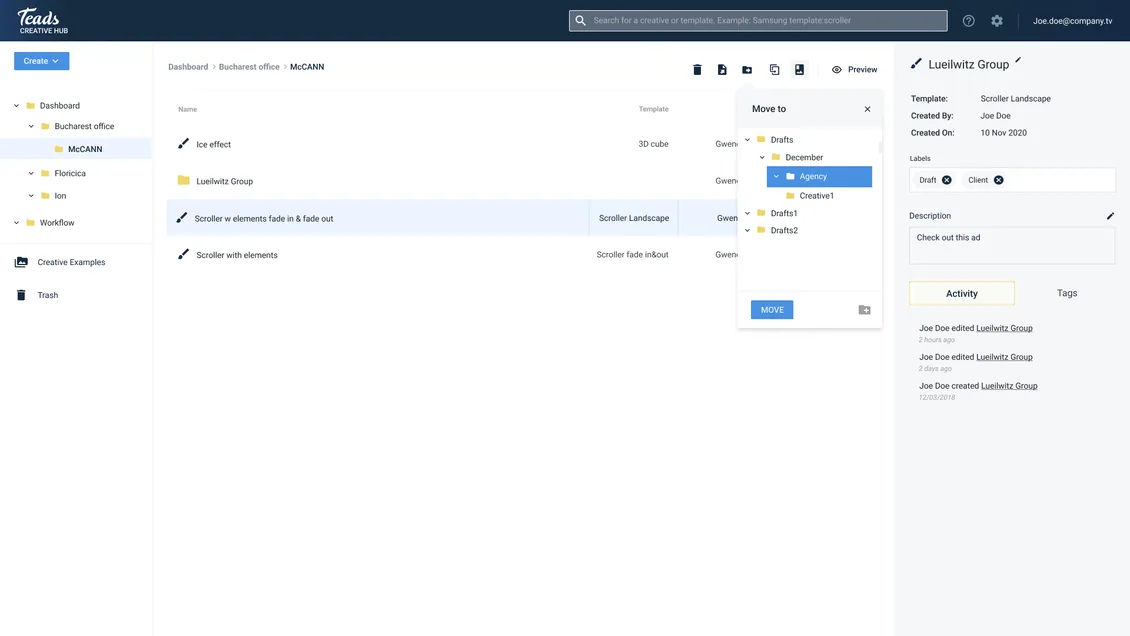
Creative Library - move creative to another folder
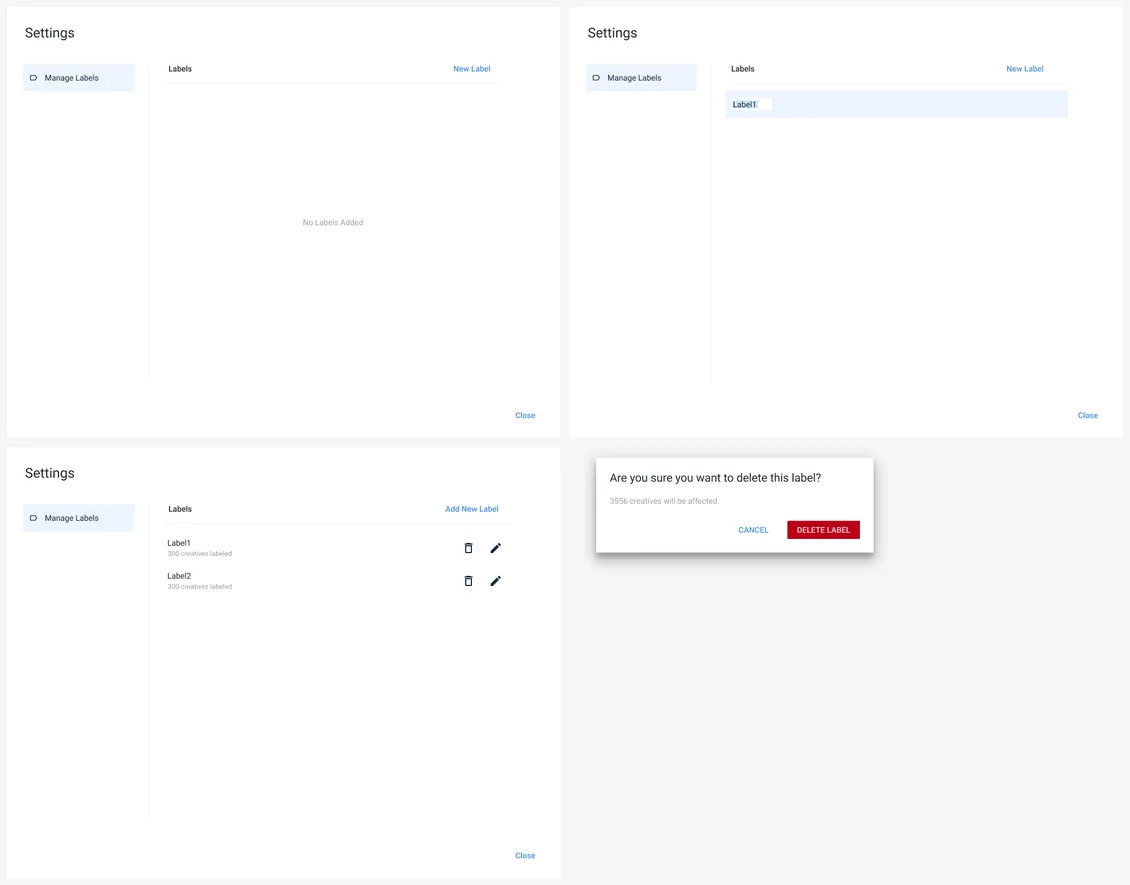
Labeling System - managed only by admins
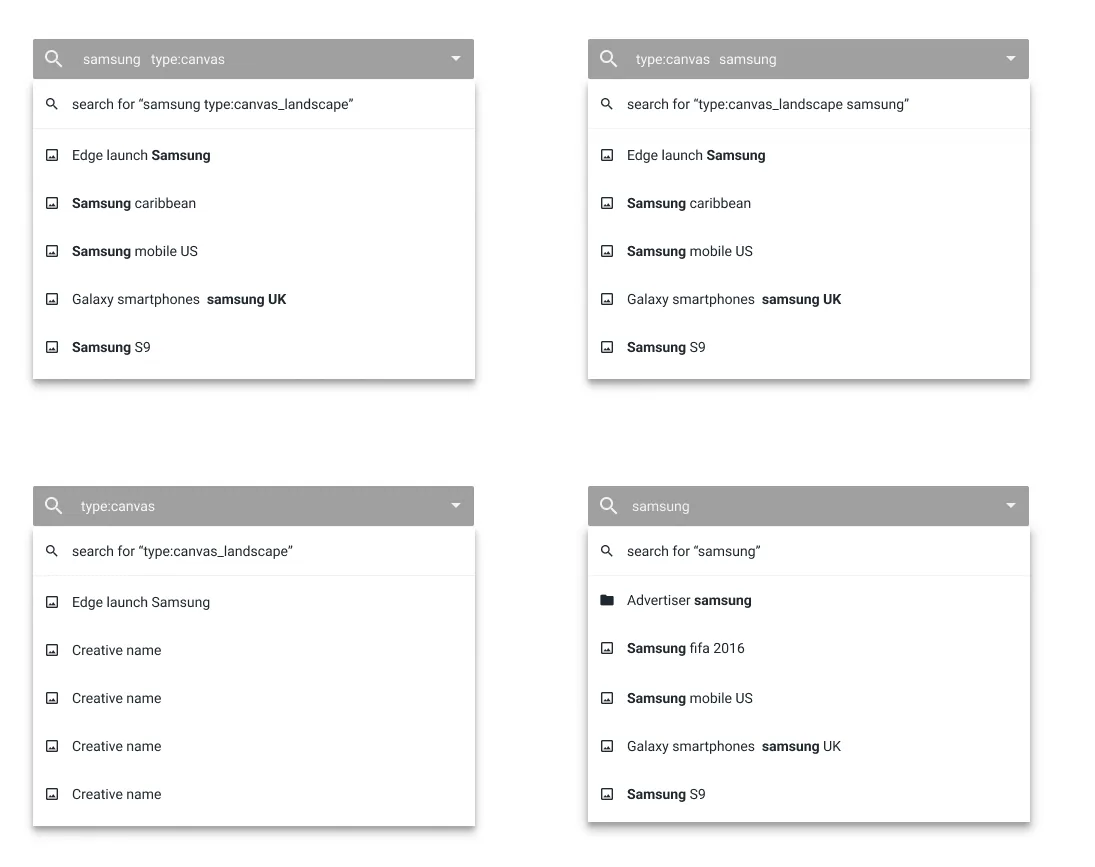
Advanced Search
04 The trade-off
Hand-written specs, fewer questions
This was before we moved to Figma. For most engineering teams I used the design system and general specs. The Studio team preferred hand-written, tailored specs, so I wrote them, on top of my regular work. They rarely came back with questions.
05 The outcome
Designers reuse creatives without a developer
Designers reuse complex creatives without involving a developer each time, and the team has one searchable place for them.